Administrator guide
This document describes how to set the configuration with ODK Tools in order to be able for collecting information of production events with a site-specific agriculture approach. This guide was designed for people who have the administrator role. An administrator is the person who is in charge of distributing the surveys and centralizing the data collected by the collectors users.
The administrator should prepare the surveys before to share with users. Preparing files is a process that allows to administrators configure and customize the parameters of the surveys. The file in which is easy to make those changes are in Excel files ([my_survey].xlsx or [my_survey].xls), however administrator can make the changes in [my_survey].xml. We will focus in Excel files.
See also
You can see a list of surveys in ODK (version 1)
Set the submission url for answers
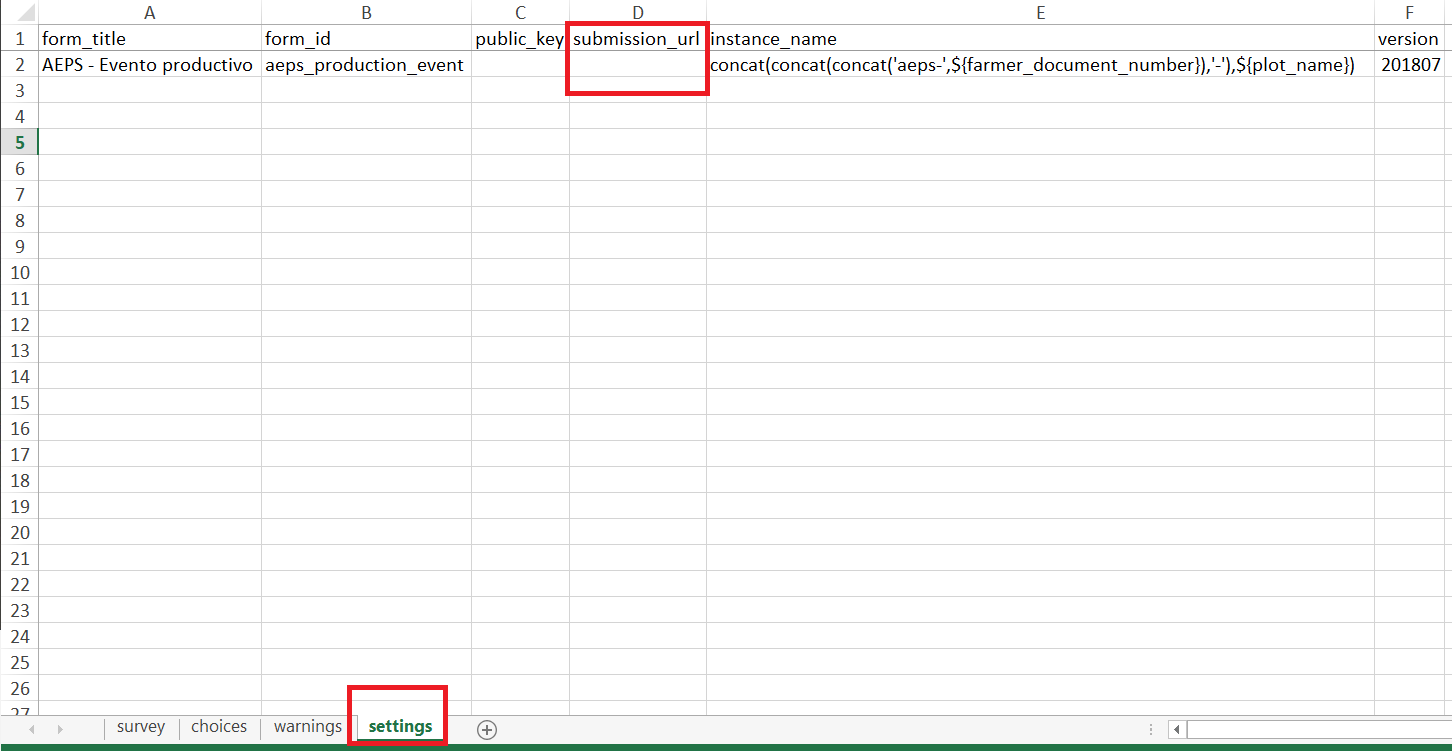
To perform this process, administrator must modify the form ([my_survey].xlsx) in the sheet called settings. Administraror must locate the column called submit_url, then in the next row must replace the url of the destination, it could be the Google Spreadsheet url or the other services that administrator will implement.
See also
If you want to know how get a submission url from Google Drive Administrator guide - Google drive
Transforming forms in surveys
It is the process to transform the Excel files into XML files. the easiest way to do it is through the online tool https://opendatakit.org/xlsform/, in which you just have to upload the Excel file, then download the XForm (XML file).
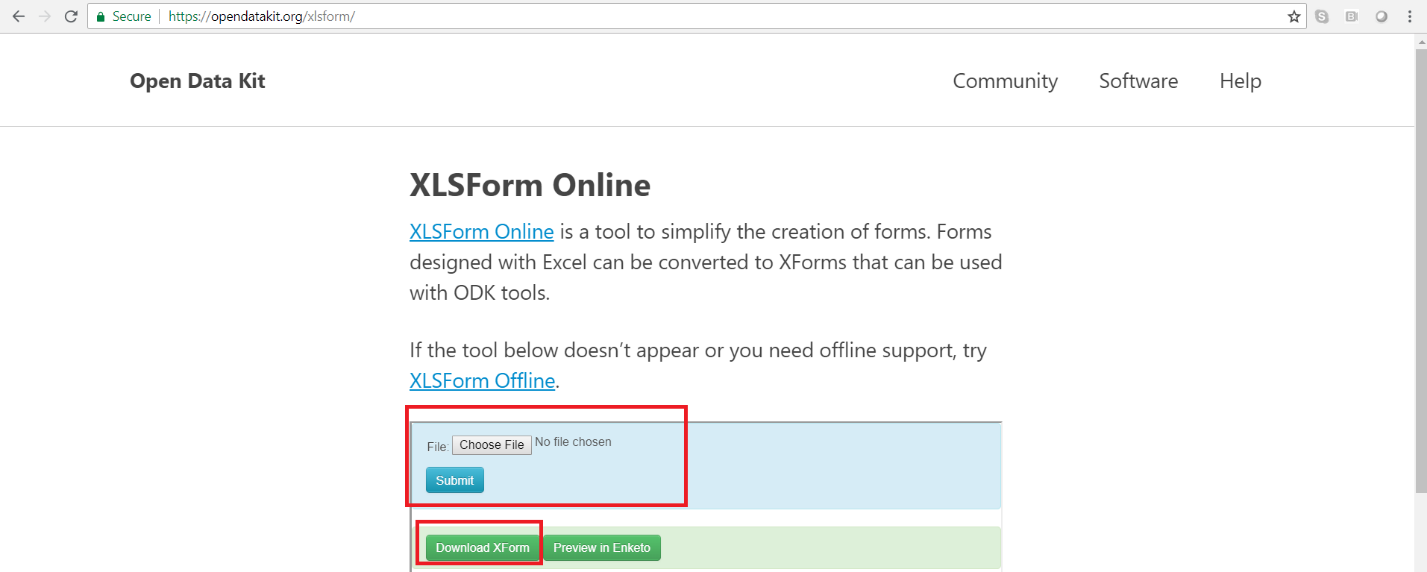
The forms can be edited according to the needs of each implementation following the rules of XLS Form. Files are transformed into XML using the online tool https://opendatakit.org/xlsform/. For more information about Open Data Kit (ODK) you can consult the official documentation at: https://docs.opendatakit.org/.
Sharing surveys
Currently, we have different ways to share the form to these users such as: Implement an Aggregate ODK server, use Google Drive, distribution through a file, etc. We have documented the following methods to spread forms: