Administrator guide - Google drive
Getting submission url
With this method you will be able to get a submission url from Google drive.
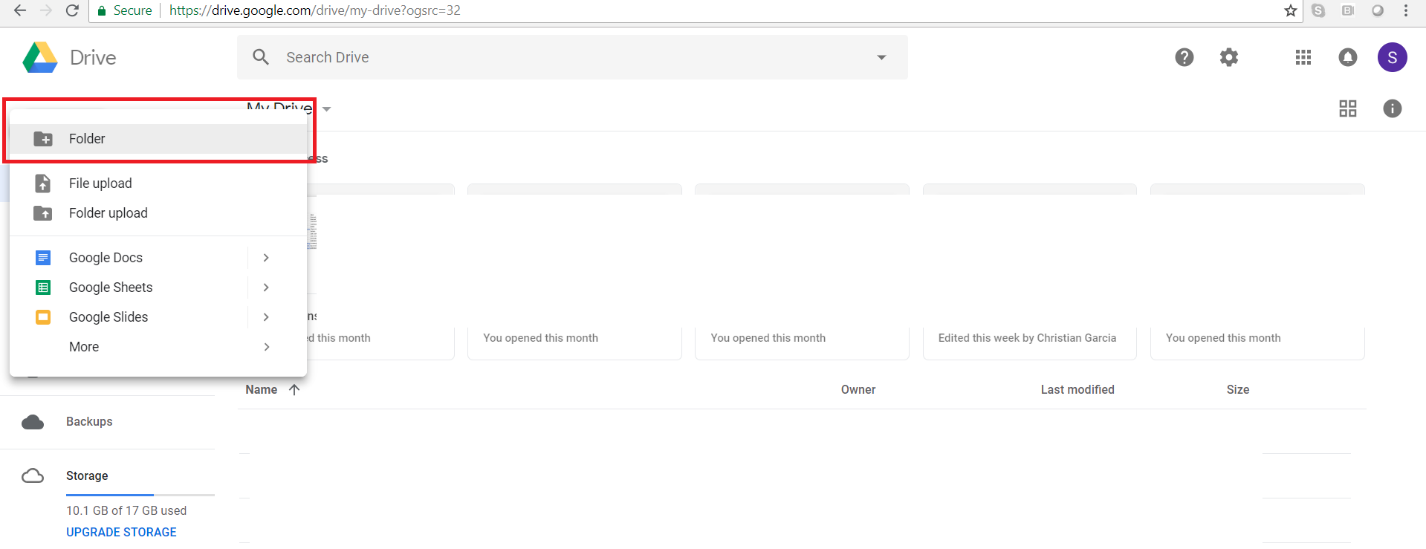
Create a folder inside of Google Drive
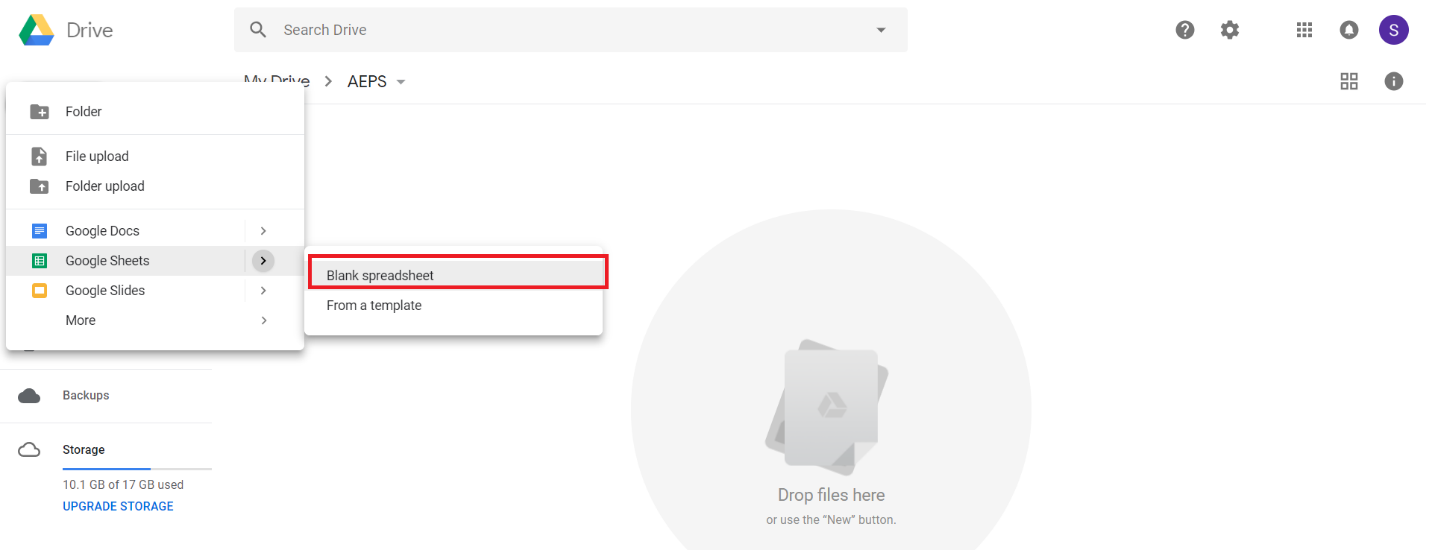
You must get inside of the created folder and add a new Blank spreedsheet
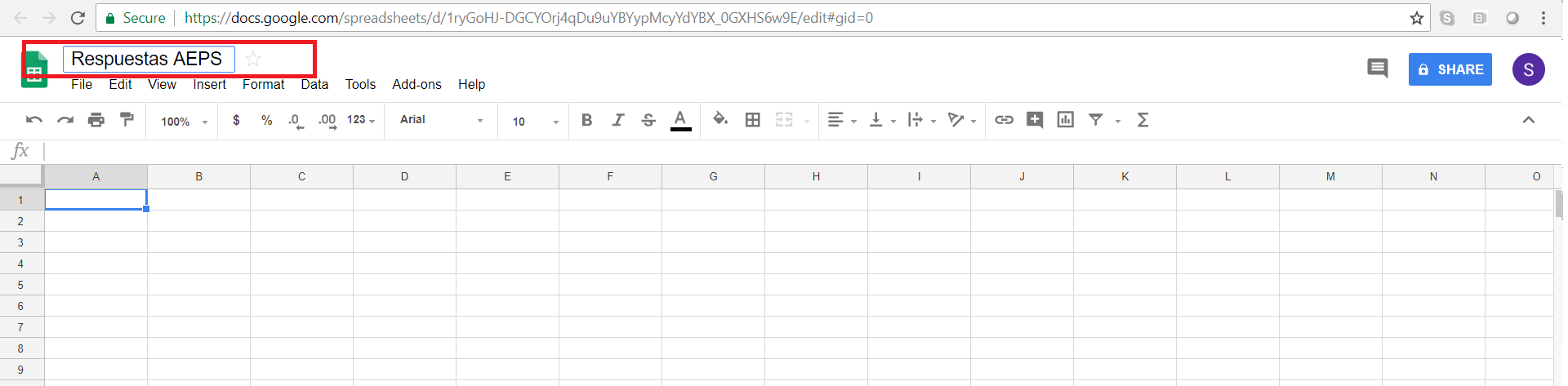
Set the name for the new document
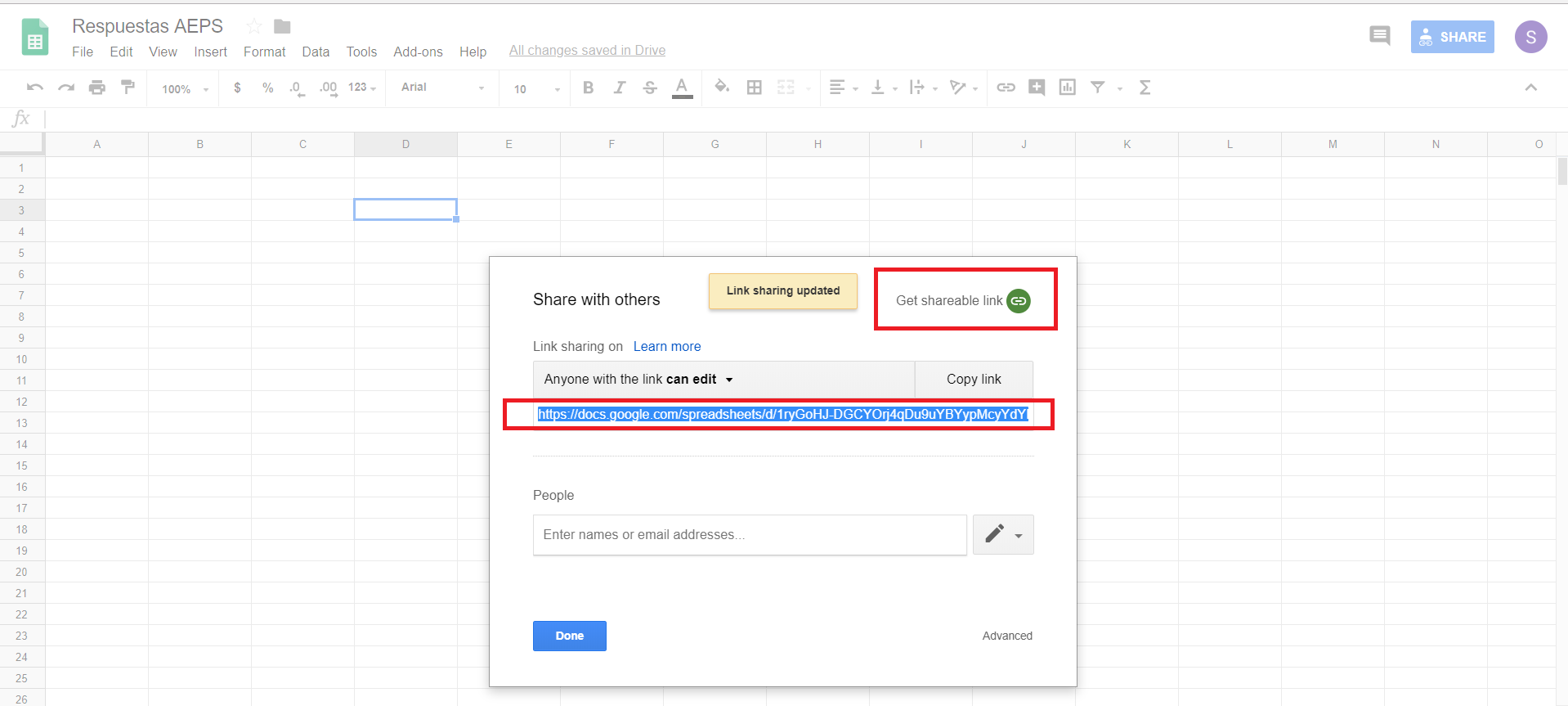
In order to get a submission url, you will have to share the document. Click on the Share button, once there, a window will be opened in which you have to do click in Get shareable link. Ensure that the user has editing permissions.
Distribution surveys
This way of distribution allows you to quickly and easily send the form through the Google office platform. This method requires that all users (administrator included) have an Google Account. Follow the instructions to carry out this process:
Create a folder inside of Google Drive
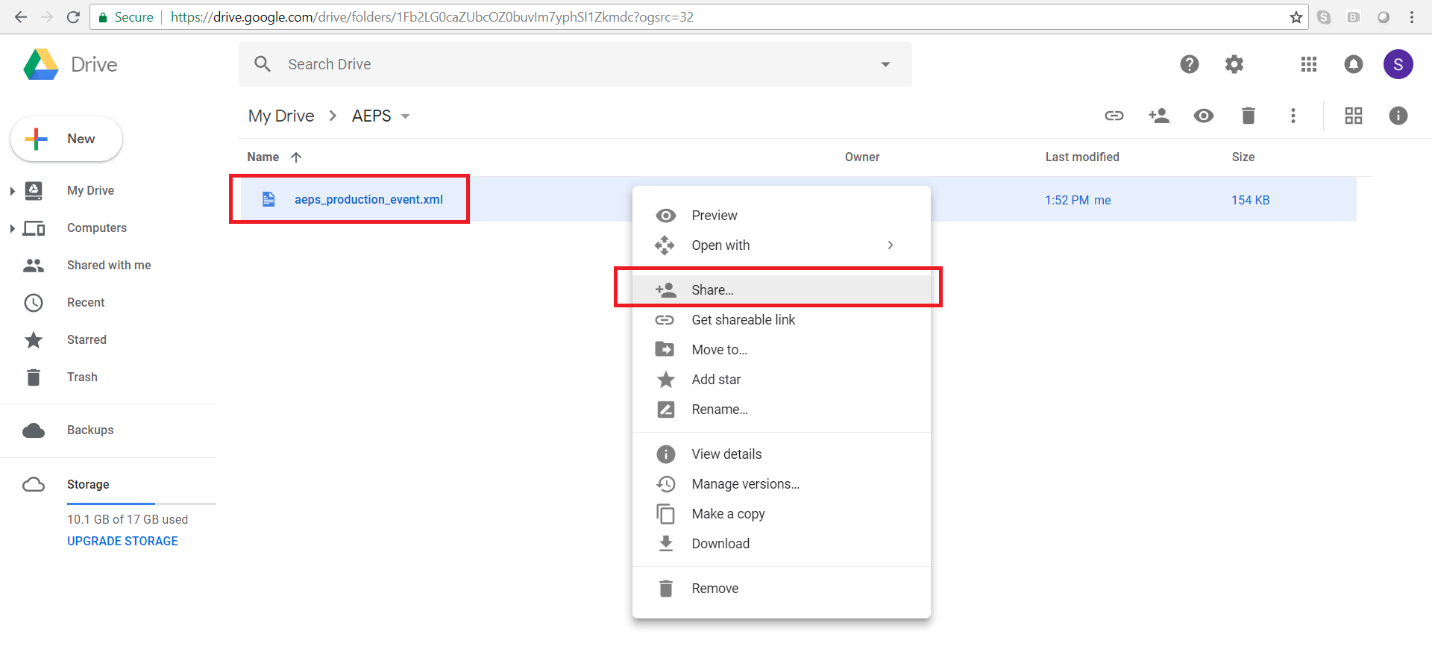
You must get inside of the created folder and upload the form e.g.: aeps_production_event.xml

The next step is to share the form with users. To do this we press right click on the form and click on the Share option, this will open a new window in which we must type each of the emails of the users, which will collect data in field.